OpenClaw guide: local setup, safer automation, and practical workflows
18 min readGuidePractical guidance
A flagship guide for readers who need a safer, smaller, and more realistic mental model for OpenClaw before they waste months building the wrong AI stack or browser automation workflow.
You do not need to read every page manually. Paste this URL into AI tools such as ChatGPT, Gemini, OpenClaw, or another agent, then use this prompt:
Read this page carefully, summarize the key points, and guide me through the next decision step by step. I want to ask follow-up questions in conversation, and you can also help turn the material into reusable GPTs, Gems, or skills if useful.
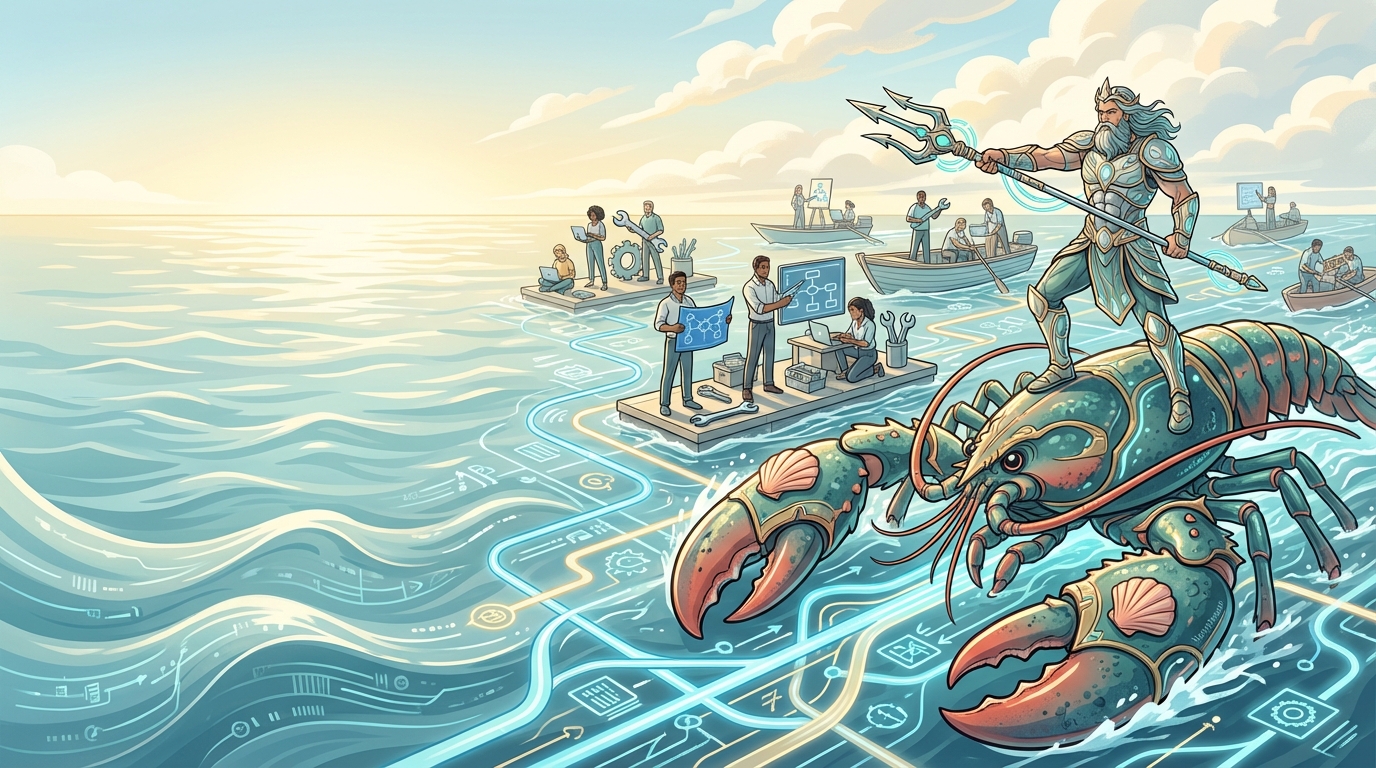
A featured illustration for the OpenClaw AI business agent guide, focused on local systems, workflows, and practical operator leadership.
Most beginners get OpenClaw wrong before they install it
The most common beginner mistake is to treat OpenClaw as if it is the intelligence, or worse, as if it is the business. It is neither. OpenClaw is a runtime. It is the operating layer that routes tasks, applies rules, and controls which tools an agent may touch.
That distinction matters because the wrong mental model creates the wrong build order. If you think the runtime is the magic, you will overbuild too early, grant too much power, and confuse technical theatrics with commercial value. The useful starting point is smaller: safe, bounded, and verifiable workflows that prove they can do one job well.
Wrong: install OpenClaw and assume the software itself is the moat. Better: treat OpenClaw as one layer inside a business system that still needs traffic, product, and trust.
Before the first run, do the three-minute preflight that saves the next three hours
Browser-agent setups fail early for predictable reasons: the Python version is off, the environment file is incomplete, or the Playwright browser layer is missing. That is why a serious OpenClaw guide should not begin with ambition. It should begin with a tiny preflight. Check the Python version first, keep it at a current supported release such as 3.11+, confirm the required API keys exist in .env, and verify the browser driver layer has been installed before you trust any automation result.
A minimal preflight can be written in plain language:
1. Confirm Python is on a supported version. 2. Create .env from an example file and fill only the keys you actually need. 3. Install the Playwright browser dependencies before the first real task. 4. Run one tiny browser action before attempting a longer workflow.
This lowers emotional friction because the reader knows whether the machine is ready before they blame themselves or the prompt.
Wrong: jump straight into code and debug five layers at once. Better: clear the environment checks first so every later failure is easier to interpret.
OpenClaw is not the business, and AI is not the business model
Many builders jump from local AI excitement to business fantasies in one step. They imagine a single runtime will somehow create positioning, demand, offers, pricing power, and reliable customer outcomes. That is not how durable businesses are built. The runtime helps execute work. It does not create market relevance for you.
A business still depends on a real audience problem, a credible offer, a distribution path, and delivery that people would pay for again. OpenClaw may support that pipeline, but it is not the pipeline itself. When this point lands early, readers stop chasing clever demos and start designing useful systems.
Wrong: assume the AI stack is the product. Better: use the AI stack to strengthen a product people already understand and want.
Your first money will usually come from a smaller workflow, not a grand agent empire
The first revenue-adjacent win is usually boring in the best possible way. It might be a research workflow that speeds up service delivery, a review assistant for content production, or a documented internal process that later turns into a playbook, template, or paid service. The size is smaller than people expect, but the signal is stronger because you can verify it.
This is where many newcomers lose months. They try to build an all-in-one agent business before they have even proven one narrow workflow saves time, improves output quality, or removes a real bottleneck. Smaller workflows are not a compromise. They are the shortest path to evidence.
Wrong: design a giant autonomous system before you have one repeatable outcome. Better: pick one narrow workflow, define the success condition, and prove it under human review.
One giant agent is usually a performance trick, not an operating model
A single giant agent doing research, planning, writing, file operations, browser work, and execution may look impressive in a demo, but it becomes difficult to debug and difficult to trust. Once everything is packed into one prompt, you lose visibility into which step failed, which tool was misused, and where human review should have happened.
A healthier pattern is a supervisor plus narrow agents. Let one layer decompose the work, route subtasks, and collect results. Then let smaller agents handle clearly bounded responsibilities with different prompts, tools, and guardrails. That is not just cleaner technically. It creates a system a human operator can actually reason about.
Wrong: one giant agent doing everything. Better: a supervisor coordinating narrow agents with specific roles and explicit handoffs.
Install convenience is a trap when your local stack has real power
For a local or Windows-first setup, the safest beginner instinct is not speed. It is isolation. Running everything directly on the host may feel simpler in the first hour, but it creates a messier boundary between the agent runtime, your filesystem, your browser state, your credentials, and the rest of your machine.
Containerization with Docker and WSL2 is not magic, but it gives you cleaner separation, cleaner logs, and a better place to apply permissions deliberately. If something misbehaves, you want a bounded environment that can be inspected, reset, and reasoned about. That is harder when the whole stack is welded into the host from day one.
Wrong: install everything directly on the host because it feels faster. Better: isolate first, define the boundary, and only widen access when the workflow proves it needs more.
The safest stack starts with less power than you think you need
Security is not a cleanup step after the demo works. It is an architectural decision you make before the first serious run. If an agent only needs API calls, do not also give it shell access, filesystem write access, and unconstrained browser control. More power does not mean more intelligence. It usually means more ways to fail.
The strongest default is restricted tools, visible logs, and approval checkpoints where state changes or external actions matter. Readers often underestimate how much quality improves when the system is forced to operate inside a smaller box. Narrow capability is easier to audit, easier to trust, and easier to recover when something goes wrong.
Wrong: full permissions from day one. Better: restricted tools plus approval checkpoints that make execution inspectable.
Chasing one perfect model is less important than routing work sanely
OpenClaw becomes much more useful when it routes different jobs to different models instead of pretending one model should dominate every task. Code work, structured writing, synthesis, and broad exploratory research often perform differently across providers and price tiers.
That is why a model-agnostic operating layer matters more than model worship. If your routing logic is clear, you can adapt to pricing changes, latency tradeoffs, and provider quality shifts without rebuilding the whole system. The runtime remains stable while model choice stays tactical.
Wrong: search for one perfect model to solve every workflow. Better: keep the operating logic stable and swap models according to task shape and risk.
If the reasoning loop is invisible, the browser agent will feel smarter than it really is
OpenClaw becomes much easier to operate when readers can picture the hidden loop. The simplest way to explain it is Thought -> Action -> Observation. The agent forms a short plan, takes one bounded action in the browser, inspects the result, and only then decides the next move. Once readers see this rhythm, they stop writing bloated prompts that demand the final answer before the system has even looked at the page.
This also makes multi-agent logic less abstract. A supervisor can own the plan, a browser agent can execute one navigation step, and a reviewer can inspect the observation before the workflow continues. Visualizing that loop teaches people how to write better prompts because they stop asking for omniscience and start asking for disciplined iteration.
Wrong: assume the agent sees everything and understands everything at once. Better: design prompts and review points around the actual cycle of thought, action, and observation.
OpenClaw should decide; your automation layer should move the pieces
Beginners often expect one tool to reason, orchestrate, trigger workflows, move data, and clean up side effects. That expectation makes systems brittle. OpenClaw is strongest when it handles bounded reasoning and agent behavior. Workflow tools such as n8n are stronger at triggers, integrations, data movement, and repeatable process plumbing.
Once you separate these layers, design gets calmer. Let the agent runtime decide what should happen. Let the automation layer handle how supporting steps are executed around that decision. The result is less confusion, clearer failure points, and a stack that can be improved one layer at a time.
Wrong: force one system to own every decision and every trigger. Better: let OpenClaw reason and let the automation layer run the repeatable scaffolding.
Traffic and product still matter more than agent theatrics
This is the business correction most readers need early: traffic, product quality, and delivery discipline matter more than agent theatrics. A clever local stack without distribution is still invisible. A flashy demo without a usable product is still a demo.
If you want OpenClaw to support revenue, point it toward assets that strengthen the real pipeline: research, content systems, product support material, internal operating workflows, or qualified service delivery. The runtime can multiply leverage, but only after the market-facing pieces are real enough to deserve leverage.
Wrong: spend all your energy polishing the AI spectacle. Better: strengthen traffic, product, and operations so the runtime amplifies something that already matters.
The most useful demos are the ones that look like real Canadian work
Readers understand browser agents faster when the examples connect to money, time, or operational leverage they can already picture. Three practical templates are especially strong. A real-estate monitoring workflow can watch Canadian listing pages for specific patterns and summarize changes for a human operator. A grants workflow can monitor public program pages for new funding windows or eligibility updates. A LinkedIn research workflow can collect structured job signals so the operator reviews trends instead of manually re-running searches all week.
These are better than generic toy tasks because the value is obvious. The user can imagine how the workflow saves time, increases awareness, or prepares a paid service. The teaching point is not to encourage reckless scraping. It is to show that browser automation becomes commercially relevant only when the workflow is narrow, reviewable, and tied to a visible outcome.
Wrong: teach only a generic demo no one would run twice. Better: show one or two realistic, bounded templates the reader could adapt to real work in Canada.
A workable starter architecture has three layers you can actually explain
For most solo operators, the cleanest starter architecture has three visible layers: a runtime layer, an automation layer, and a reader-facing or client-facing layer. The runtime layer handles models, tools, permissions, and memory boundaries. The automation layer handles triggers, data movement, and operational plumbing. The reader-facing layer is what people actually buy, read, or experience.
This structure sounds simple because it is. That is the point. If you cannot explain the system in three layers, you probably built it too early or too opaquely. Simpler architecture improves teaching, debugging, onboarding, and business judgment at the same time.
Wrong: build a stack so tangled that only the builder can describe it. Better: separate runtime, automation, and customer-facing delivery so each layer has a clear job.
Memory gets cleaner when you stop treating one context window like a brain
Many beginners throw task context, business records, notes, and long-term reference material into one giant prompt and call it memory. That usually creates noise, not intelligence. A steadier system separates short-term task context, working data, and reusable knowledge so retrieval matches purpose.
Once memory is layered properly, the operator can tell why a fact was retrieved, where an instruction came from, and whether the system is relying on transient context or stable reference material. That separation reduces hallucinated continuity and makes the stack easier to maintain over time.
Wrong: dump everything into one ever-growing context window. Better: separate short-term context, working records, and longer-term knowledge.
Prompt design belongs after the operating model, not before it
Prompting matters, but it should not appear at the top of the educational sequence. By the time you are writing detailed agent instructions, you should already know the workflow boundary, allowed tools, escalation points, and success condition. Otherwise the prompt becomes a bandage over an undefined operating model.
A stronger prompt usually follows a fixed contract: role, objective, constraints, allowed tools, approval rules, and execution loop. That structure makes agents easier to test and compare. It also gives a human operator something concrete to review instead of admiring vague cleverness.
Wrong: obsess over prompt wording before the system contract exists. Better: define the operating model first, then write prompts that enforce it.
When the first run fails, debug the stack in layers instead of panicking at the prompt
Browser automation errors feel emotionally heavier because the failure happens in public view: the page does not load, the agent times out, the site blocks the session, or the model appears to freeze. The disciplined response is to debug in layers. First confirm the environment. Then confirm the browser session. Then confirm the page state. Only after that should you adjust prompts, step limits, or task shape.
A useful beginner troubleshooting sequence is simple:
1. Re-run the smallest reproducible task. 2. Check browser launch and login state. 3. Reduce the number of steps and narrow the target. 4. Inspect whether the site is triggering bot detection. 5. Only then adjust parameters such as max_steps, vision settings, or retry logic.
This order protects readers from the most common mistake, which is rewriting the prompt while the environment is still broken.
Wrong: keep rewriting the agent instructions while the browser layer is failing. Better: isolate whether the failure is environment, navigation, authentication, or task design first.
Treat prompts as a bonus layer once the foundation is already stable
Once the stack is isolated, permissions are constrained, the workflow is narrow, and the architecture is legible, then prompt design becomes a real multiplier. This is the stage where you can define reusable instruction blocks for supervisor agents, reviewers, researchers, or implementation helpers without letting the prompt carry the whole system on its back.
That is the right place for AI instruction libraries, reusable operating contracts, and internal prompt templates. They belong in the middle or end of the build sequence, not at the front door. When the mental model is correct first, prompts stop being a substitute for thinking and start becoming reusable implementation material.
Wrong: put AI instruction tricks at the top and hope authority follows. Better: earn authority with architecture and judgment, then use prompt systems as the bonus layer that scales execution.
The boring security rules are what make browser agents usable in real life
Two reminders should appear in any serious OpenClaw guide. First, never upload your .env file to GitHub. Not because that advice is glamorous, but because browser-agent systems already touch enough identity, key, and session state to deserve stricter habits. Use dedicated browser profiles where possible, give APIs the minimum permissions they need, and keep secrets out of the repository even in test environments.
Second, browser automation is not a license to ignore compliance. If a workflow touches public websites, respect the target site's robots guidance, published terms, and access expectations. The goal is not to teach aggressive scraping. The goal is to teach bounded, reviewable automation that does useful work without drifting into reckless behavior. If you want paid implementation material after this overview, the OpenClaw playbooks go deeper. If manual setup still feels heavy, this guide should help you specify a cleaner done-with-you workflow later.
Wrong: treat browser access as an excuse to ignore privacy, secrets, or site rules. Better: build with smaller permissions, cleaner profiles, and explicit compliance boundaries from the start.
FAQ
Questions readers often ask next
These answers clarify the practical decisions that usually come right after the main guide.
What should I check first if OpenClaw fails before the first real task?
Start with the boring layer first: Python version, environment variables, Playwright browser installation, and whether your local runtime can actually launch the browser session. Most early failures are environment drift, not prompt quality.
What usually causes browser automation timeouts?
Timeouts often come from missing browser dependencies, authentication state problems, slow pages, or a workflow asking the agent to do too much in one run. Reduce the task scope first and confirm the browser can complete one small step reliably.
Why do some websites block browser agents more aggressively?
Some sites treat sandboxed or automated browser sessions as suspicious by default. Social platforms, finance-heavy sites, and gated portals often trigger bot detection more easily. Human review, smaller task scopes, and clear compliance boundaries matter more than brute force.
Is it safe to commit my .env file if it only contains test keys?
No. Treat .env files as private by default and do not upload them to GitHub. Even test keys, account identifiers, and internal endpoint patterns can create unnecessary exposure and bad habits.
Continue learning
Related pages to help you go deeper with more context
If this article corrected your mental model, take the safer next step
If this article corrected your mental model, the free course gives you the safer order to follow next with setup, browser safety, approvals, and steadier execution habits.
If you want reusable implementation material, go deeper here
If you want implementation material you can reuse, the paid playbooks go deeper than this overview with bilingual operating guides and more practical execution detail.
Example architectures and stack components on this page are for learning and planning. Always verify runtime, container, and provider details against the latest official documentation before deploying anything in a real environment.